
Role
Prototyping Lead · Design Systems Lead
Timeline
January – April 2026 · 15 Weeks
Client
HUD Atlanta Regional Office · Deloitte Digital via SCADpro
Program
SCADpro Professional Internship
Team Size
~25 people (Design, Research, Marketing, Operations)
Deliverables
- Design System
- Interactive Prototypes
- User Flows
- Research Support
Tools
 Figma
Figma Make
Figma
Figma Make
 Illustrator
 Photoshop
 Claude
 Claude Code
 ChatGPT-vision
GPT 5.5
ChatGPT-vision
GPT 5.5
 NotebookLM
 Nano Banana
 Slack
Slack
 Dropbox
Section 01, Overview
The Challenge
The shift to NSPIRE (HUD's new federal inspection standard) fractured the process between inspectors, landlords, and tenants into a high-friction, disconnected experience.
No standardized digital platform existed to connect the three actors who keep regulated housing compliant.
Deloitte and HUD's Atlanta Regional Office tasked our SCADpro team with an AI-powered mobile platform: built to scale nationwide under NSPIRE.
What are HUD and NSPIRE?
HUD (U.S. Department of Housing and Urban Development) is the federal agency that funds and regulates affordable housing across the United States. Our primary stakeholder was HUD's Atlanta Regional Office, which oversees federal housing programs across eight southeastern states, including Georgia, Alabama, Florida, and Tennessee.
HUD doesn't operate the housing itself. It subcontracts the day-to-day management and operation of each property to landlords, who are legally responsible for keeping every unit in compliant condition. Inspectors enforce that contract, running annual inspections and responding whenever a deficiency is reported. If a landlord fails to repair within the regulated timeframes, they lose the right to operate the housing.
NSPIRE (National Standards for the Physical Inspection of Real Estate) is HUD's new federal inspection framework. The transition to NSPIRE created a fragmented, high-friction process between inspectors, landlords, and tenants, with no standardized digital platform connecting the three. Deloitte, working with HUD's Atlanta Regional Office, tasked our SCADpro team with designing an AI-powered mobile platform to bridge that gap. Because NSPIRE is a federal standard, the platform is designed to scale to any regulated housing group operating under it, nationwide, not just the Southeast.
Section 02, Ownership
What I Owned
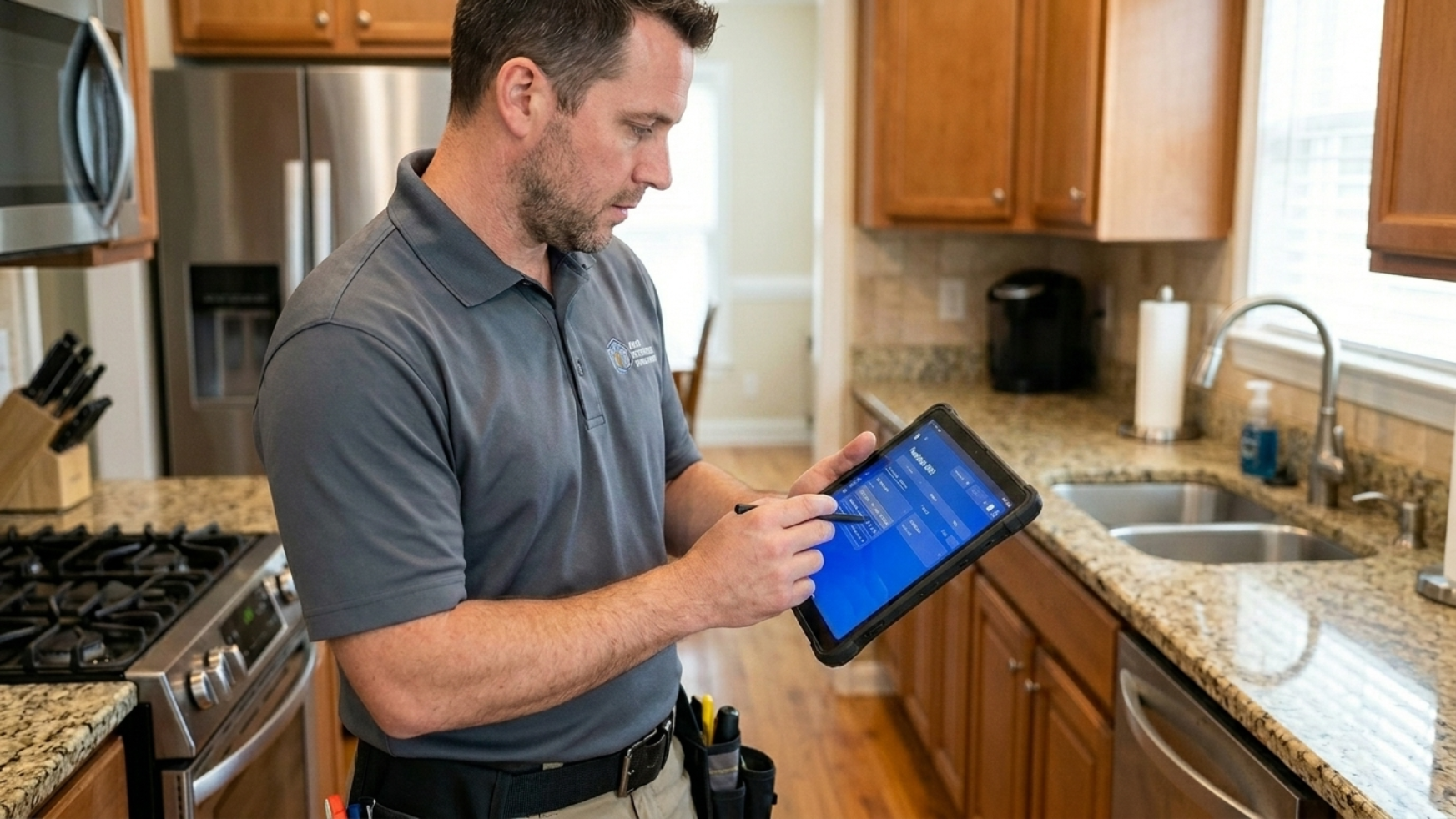
As Prototyping Lead and Design Systems Lead, I owned the structural backbone of the product, from component architecture to interactive prototypes. I also contributed to research using AI tools, designed the AI interaction model, and led the resolution of a branding crisis mid-project. My work spanned strategy, systems thinking, and hands-on design execution.
01
Design System Architecture
Modular, brand-agnostic system built from day one
02
Interactive Prototyping
Figma + Figma Make + Claude Code → a React component library for the 3 user roles
03
AI Interaction Design
Defined how AI assists inspectors without replacing judgment
04
Branding Strategy Resolution
Role-based color system that resolved team deadlock
05
Dev Handoff & Validation
Component structure praised by Deloitte's dev lead
The UX & Research Team
I worked inside a tight UX and research pod embedded in the broader ~25-person SCADpro × Deloitte team.
Prototyping · Design Systems Lead
Vicente Hernáiz
Component architecture, interactive prototypes, AI interaction model, and branding resolution. With Valeria, owned the logic and user flow of the AI process.
UX Research Lead
Valeria Munera
Led user research across tenants, landlords, and inspectors. With Vicente, owned the logic and user flow of the AI process.
UX Logic & Wireframing Lead
Catelynn Kai
Owned UX logic, wireframing, and cross-role flow architecture
UX Designer
Xander Grant
UX/UI design execution across the three role experiences
UX Researcher
Alex Wang
Usability testing and research operations support
Section 03, Research & Discovery
Understanding the Ecosystem
The inspection ecosystem involves tightly coupled stakeholders with conflicting needs. Our research revealed a vicious cycle: tenants distrust management, so they underreport issues. Landlords receive inaccurate data, so they can't prioritize repairs. Inspectors are buried in documentation overhead. The system erodes itself.
Stakeholder Mapping
This map wasn't the deliverable; it was how we decided where to point the research. It let us pick which stakeholders to prioritize in interviews, surveys, and user testing, while making sure no part of the NSPIRE ecosystem was left out. Four roles carry the day-to-day system and earned the deepest research, and a wider ring of program and delivery stakeholders still shaped what we could build.
Click a node to see its role
End user
Tenants
Live in the housing, report issues, and are the ones most affected when the system fails. Direct stakeholder, inner ring, highest day-to-day relevance.
Research Insights
Seven findings from tenant surveys, competitive analysis, and cross-role interviews shaped every decision that followed.
From Stakeholders to Personas
Mapping the ecosystem told us who was in the system. To design for them, we built short-form personas grounded in research, one per role, so every design decision could trace back to a specific motivation or pain point.

Maya Thompson
Tenant · Age 34
Long-time renter in a HUD-regulated unit. Juggles two jobs and a family at home. Has reported issues before and watched them go unanswered.
Motivations
- A safe, compliant home for her family
- Being heard when something breaks
Pain points
- Reported issues ignored or delayed
- Fear of reprisal from the landlord
- No visibility into whether an inspector will come

Derek Reyes
Inspector · Age 51
Field inspector covering dozens of properties a month for a regional housing authority. Already uses his own inspection and team-management software.
Motivations
- Reduce travel time and paperwork
- Focus expertise on real deficiencies, not minor ones
Pain points
- Reluctant to migrate from existing tools
- Duplicate data entry across systems
- Unnecessary on-site visits for minor issues

Marcus Bell
Landlord · Age 41
Manages a small portfolio of HUD-regulated rental properties. Operates on tight margins and cannot afford to lose his right to operate.
Motivations
- Keep every unit NSPIRE-compliant
- Preserve the right to operate the housing
- Prioritize repairs with clear, accurate data
Pain points
- Inaccurate or late information on deficiencies
- 24-hour compliance window on life-threatening issues
- Penalty and loss of license if repairs miss the regulated timeframe
HUD Atlanta Regional Office
Authority
Federal body regulating HUD housing across eight southeastern states. Accountable to Congress and to the residents the program is meant to protect.
Motivations
- NSPIRE compliance at national scale
- Auditable data trail across jurisdictions
- Reduce reporting fraud and blind spots
Pain points
- Fragmented data across landlords and inspectors
- No unified digital trail before NSPIRE
- Delayed remediation of life-threatening deficiencies
How to Actually Get App Adoption
The real motivations, per stakeholder, that would drive genuine use, not just compliance.
Section 04, User Flows
Mapping the User Flows
From our research and the explicit requests users made, two clear scenarios emerged, each with its own user flow. The first is the NSPIRE "standard failure" flow, where a single tenant-reported deficiency threads across the tenant, inspector, and landlord. The second is a remote re-inspection flow that lets inspectors validate fixes without returning to the property.
Scenario 1 · Standard failure (tenant-reported deficiency)
The NSPIRE standard-failure flow, rebuilt as an interactive system map. This is the case where a tenant reports a deficiency in their home but the landlord doesn't respond, refuses to repair it because responsibility is disputed, or the tenant is too anxious to confront the landlord directly and unsure how serious the problem actually is. In those situations the tenant leans on an expert inspector as a neutral third party. From there, a single deficiency travels across three actor lanes, tenant, inspector, and landlord, as automated AI report hand-offs punctuated by human decision points and enforced deadlines. Hover any node to read what happens there.
The limitation
Awareness is the real constraint. This recourse only helps if tenants know it exists and understand which situations qualify for it, so surfacing it to the people who need it matters as much as the flow itself.
Hover a node for details (tap on mobile) · swipe sideways to follow the flow
Scenario 2 · Remote re-inspection
When a property fails an inspection, the inspector no longer has to drive back out to re-check it in person. The tenant or landlord fixes the deficiency and documents it in the app, photos, video, and notes, and the inspector validates that evidence and the auto-generated report remotely. A physical revisit happens only when a case genuinely needs eyes on site, turning most re-inspections from a scheduled site visit into a same-day remote approval.
Section 05, AI Layer
Designing the AI Layer
AI wasn't a feature, it was an architectural decision. I defined three core AI functions: a Documentation Assistant that guides photo capture with real-time angle and lighting feedback, a Metric Interpreter that translates regulatory language into plain terms, and a Compliance Decision Support system that predicts violations from historical patterns. The key principle: AI advises, humans decide. Every AI output is subject to inspector confirmation.
Initial Flow, v1 (before usability testing)
- 01Open app
- 02Request report
- 03Select area of house
- 04Select main category
- 05Write short description
- 06 · AIAI analyzes input
- 07 · AIAI analyzes all data
- 08 · AIAI creates inspector-ready report
- 09Accept & send to inspector + landlord
- 10Wait for resolution
Final Flow, v2 (simplified after testing)
- 01Open app
- 02Request report
- 03Take photo
- 04Add notes
- 05 · AIAI analyzes photo
- 06 · AIAI generates report
- 07Accept & send
Before
"User controls, AI validates after the fact"
After, from usability testing
"AI guides in real-time, user confirms"
Section 06, Design System
Building for Scale and Complexity
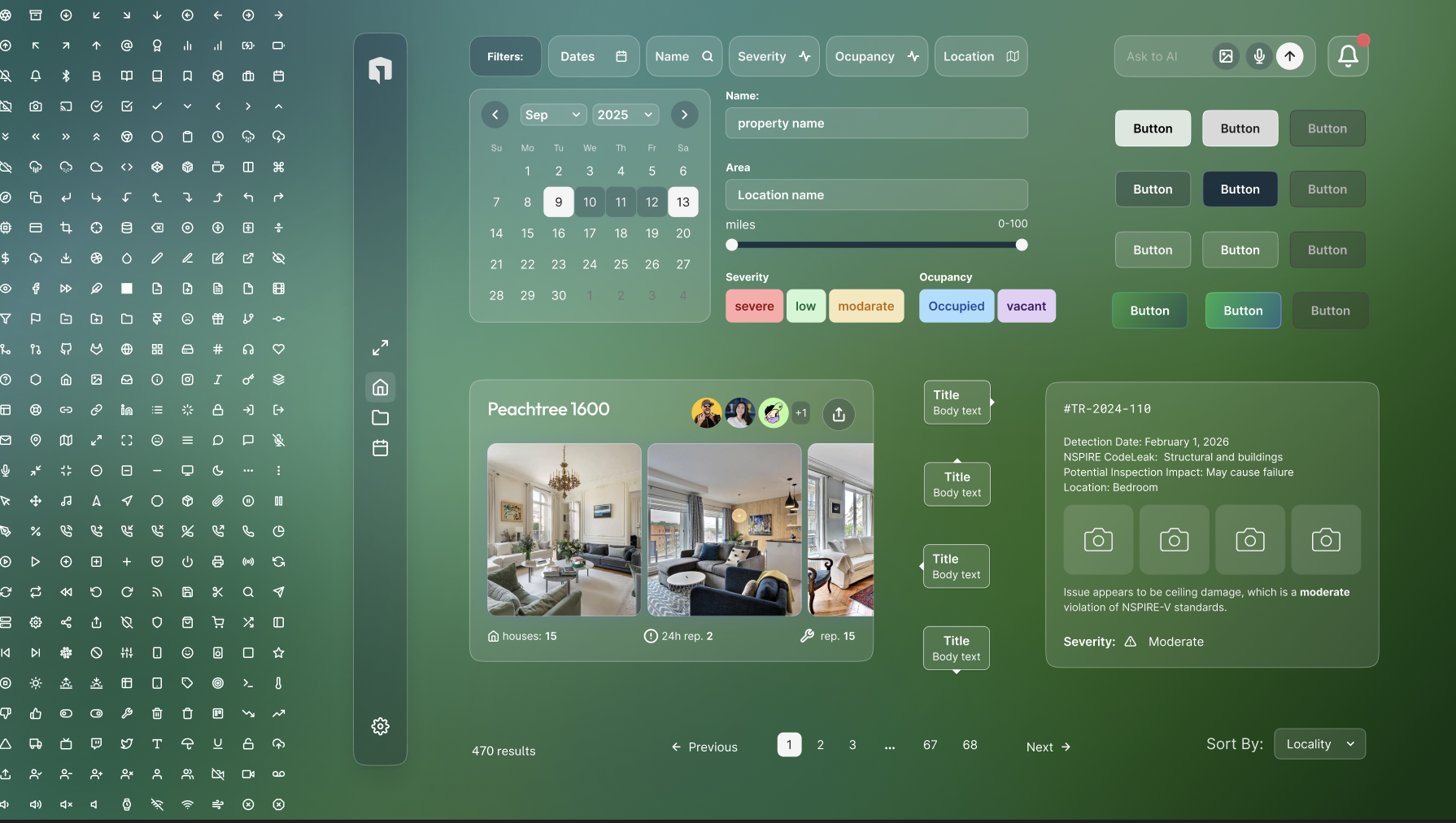
A modular design system built from day one, before branding existed
We (I and my teammate, Catelynn Kai) started the design system on the first day of the project, intentionally decoupled from final branding. This decision saved weeks of rework later. The system was architected for three user roles, a glass morphism visual language, and national-scale deployment with jurisdiction-level customization.
The Branding Crisis
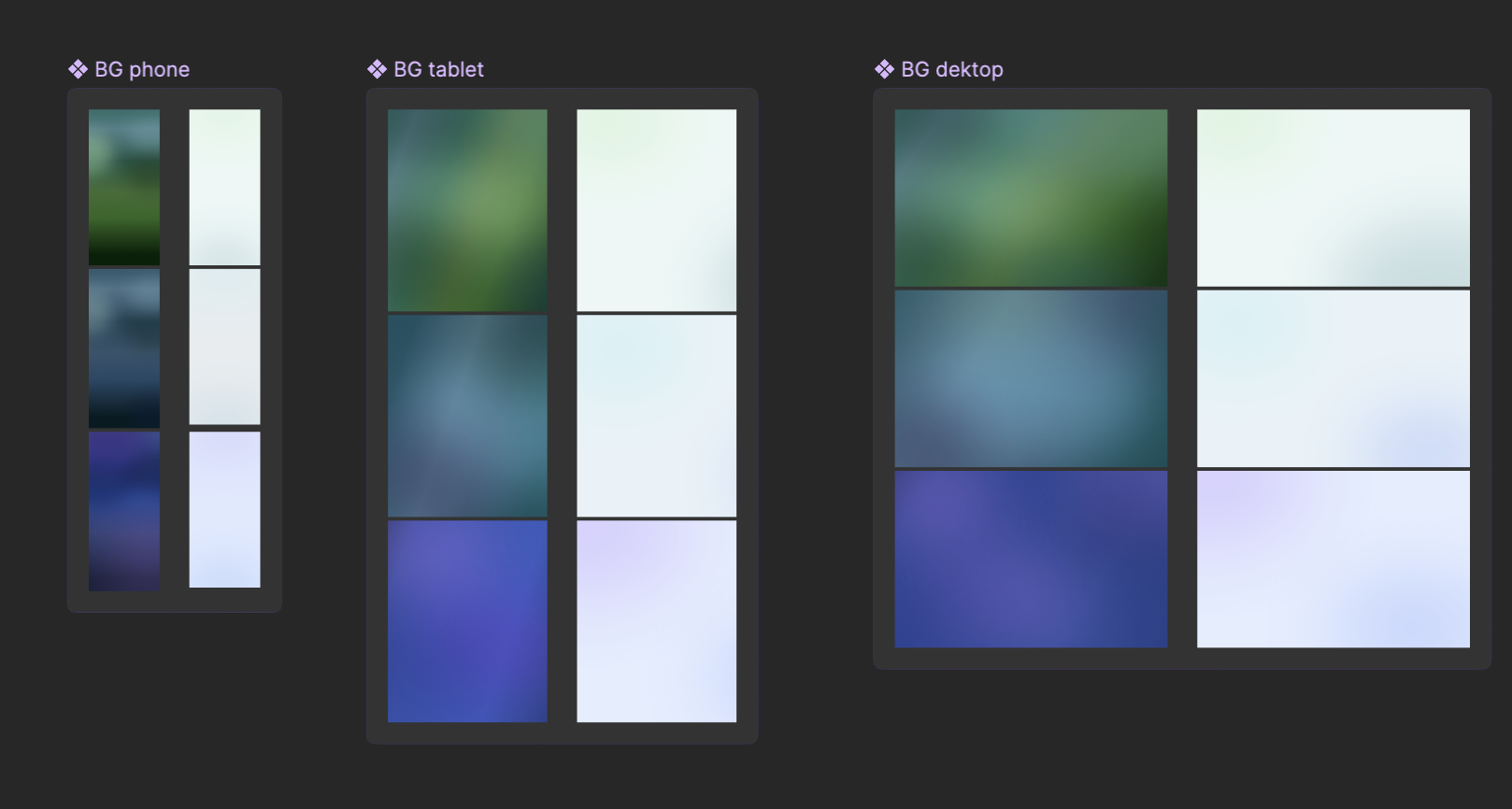
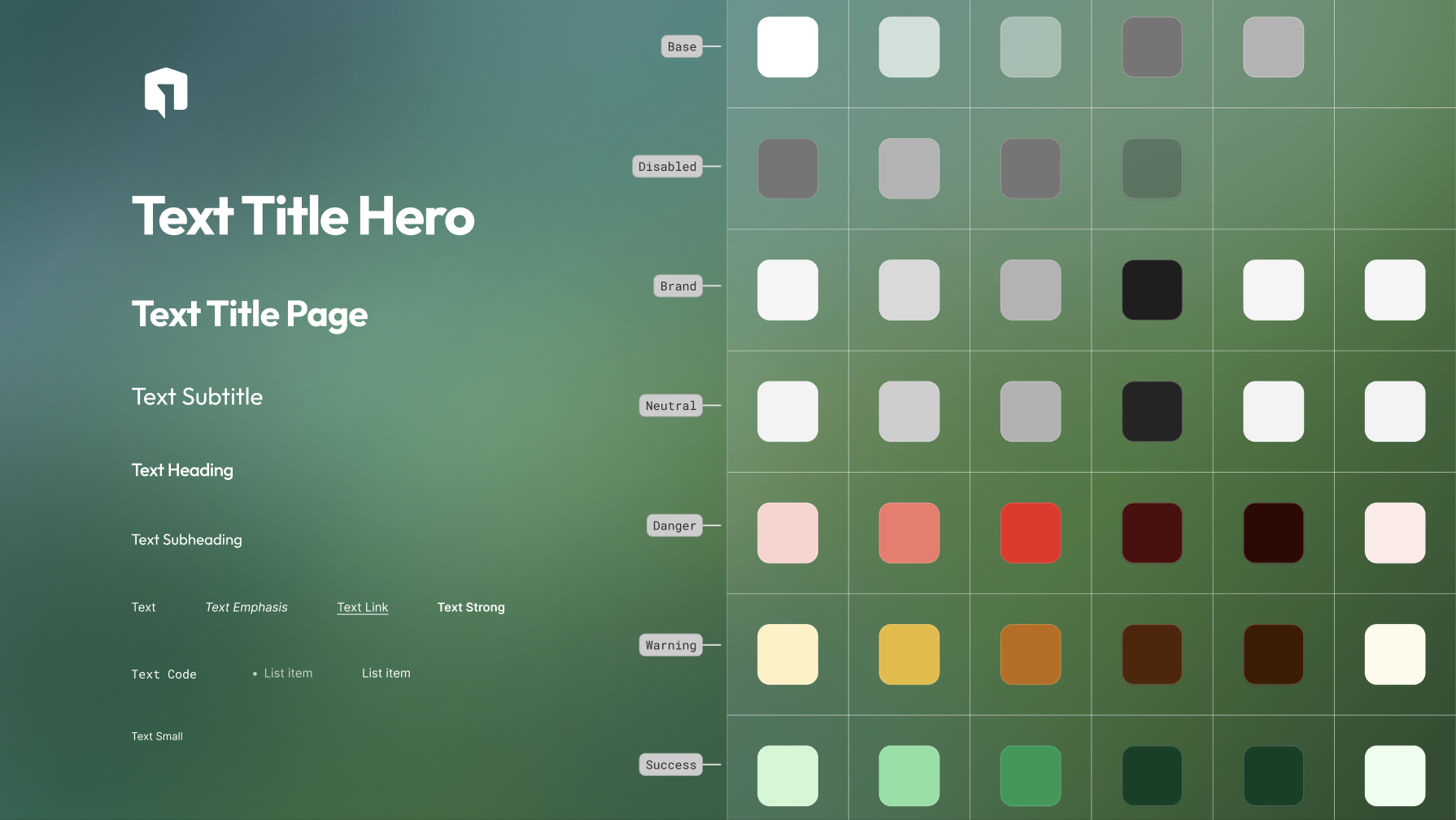
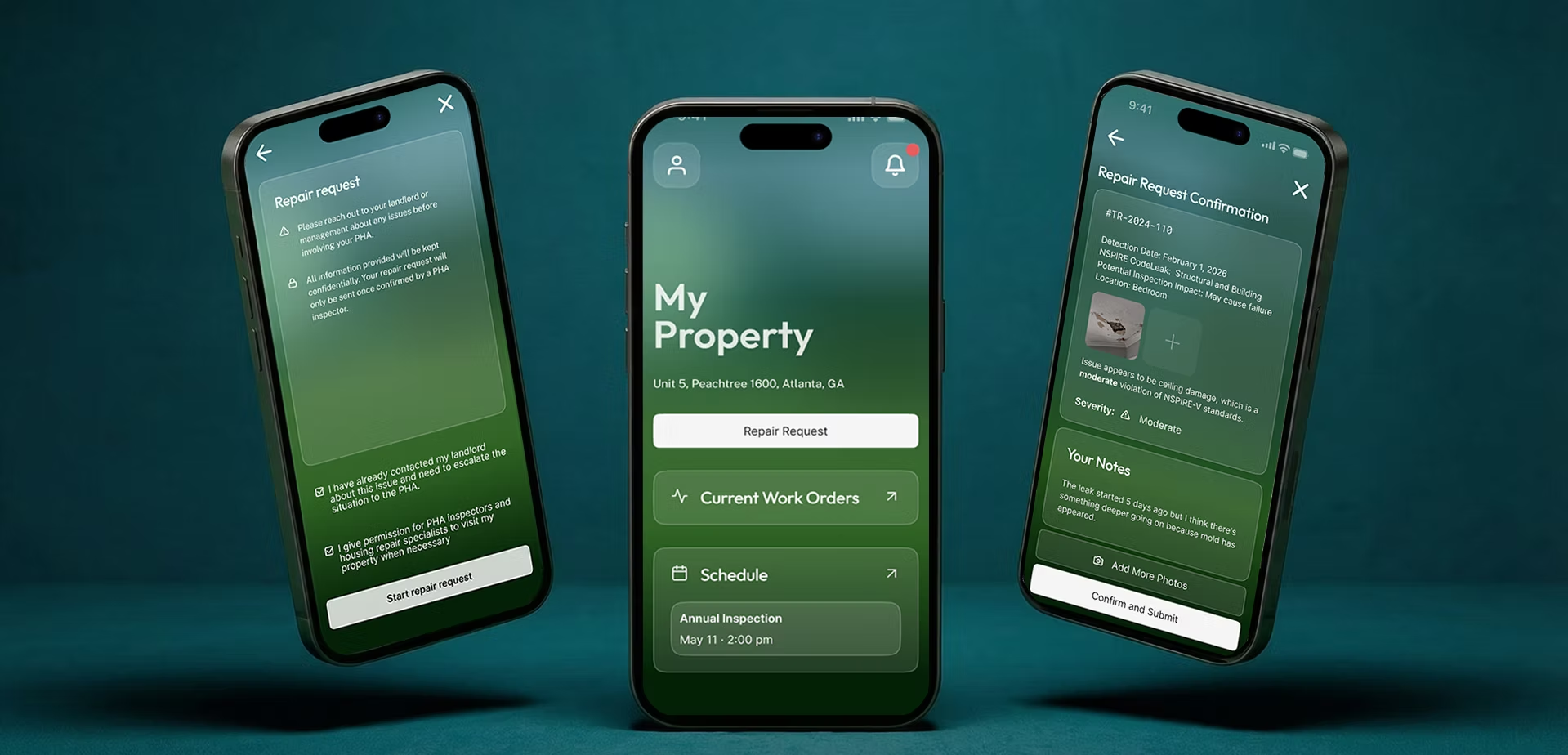
Mid-project, the branding team hit a deadlock. Stakeholders were split between a purple-turquoise palette and a green-dominant direction. No consensus was possible. I proposed a role-based color strategy: green for tenants (trust, accessibility), teal-blue for landlords (professional, compliance), and blue-purple for inspectors (authority, expertise). Same components, different color theming. The branding team adopted this framework and built the complete visual identity on top of it.
Device-First by Role
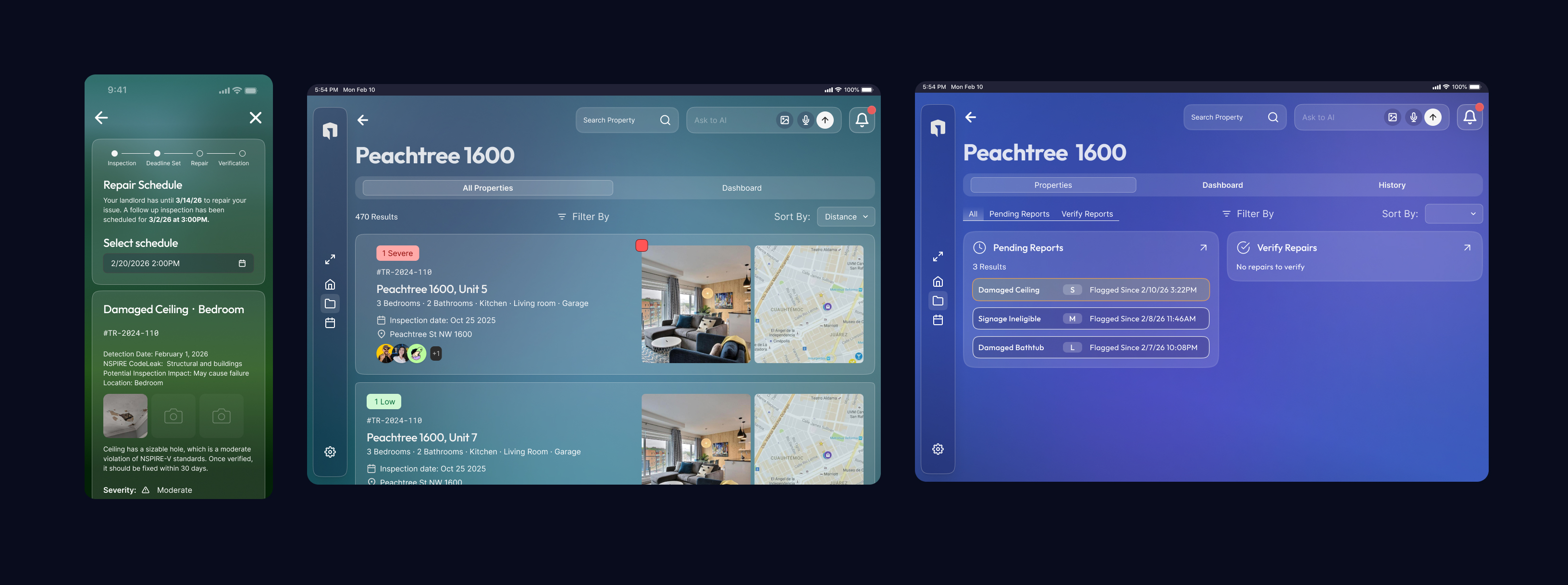
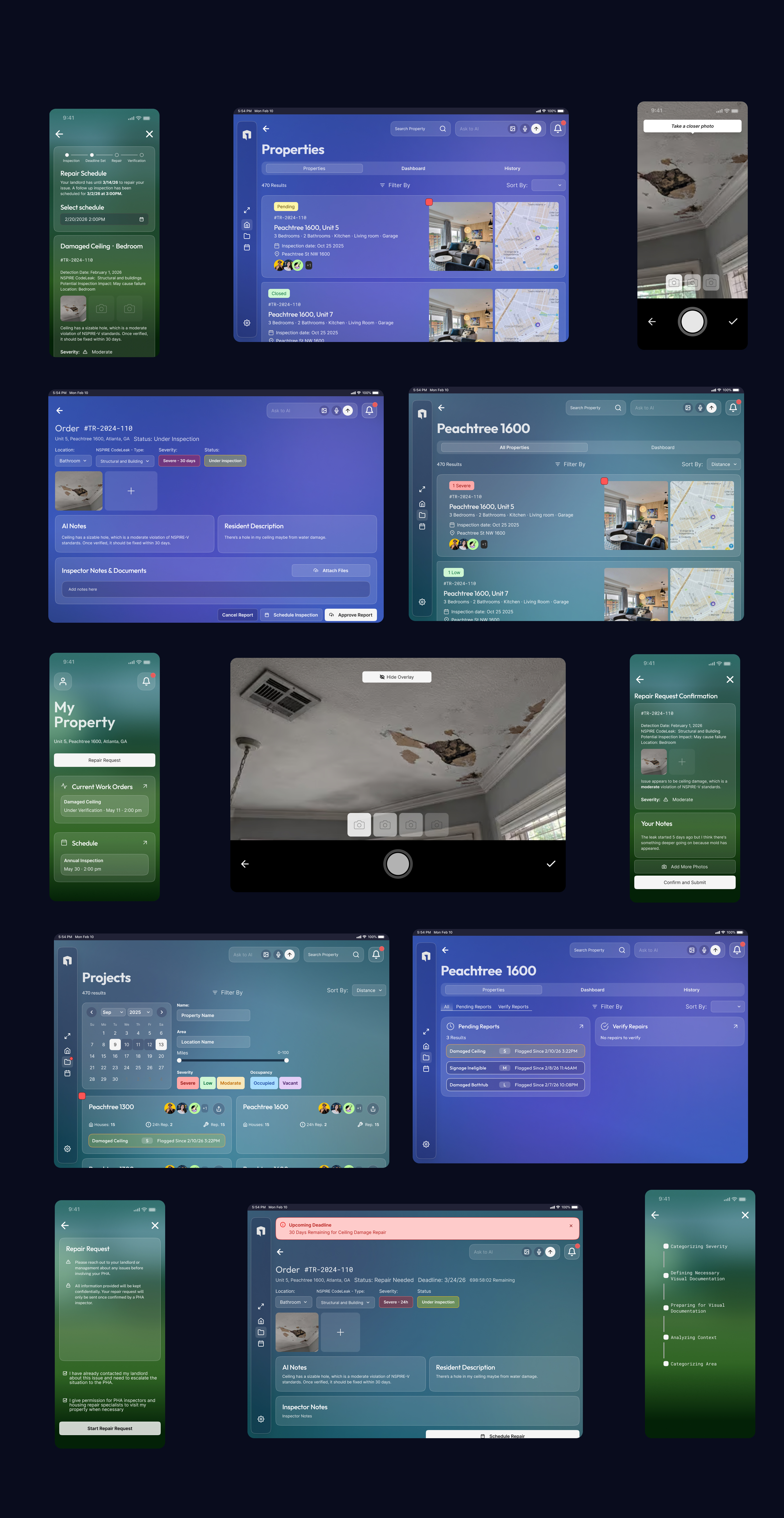
A parallel research study revealed that each role had a clear device preference: tenants reach for the phone, inspectors work on the tablet in the field, and landlords split between tablet and desktop when managing portfolios. Instead of designing every flow for every screen size, we focused our effort on each profile's dominant device, a phone-first, one-handed flow for tenants; tablet-scale photo capture and annotation for inspectors; larger-canvas portfolio management for landlords.
Why Glass Morphism
Client feedback on early flat designs was direct: "It feels soulless." I implemented a glass morphism aesthetic inspired by Apple's design language, but adapted for a compliance context, reduced blur for focus, increased font weights for readability, and semi-transparent surfaces that work across all three color profiles. Accessibility verified across every theme.
Accessibility as a Federal Requirement
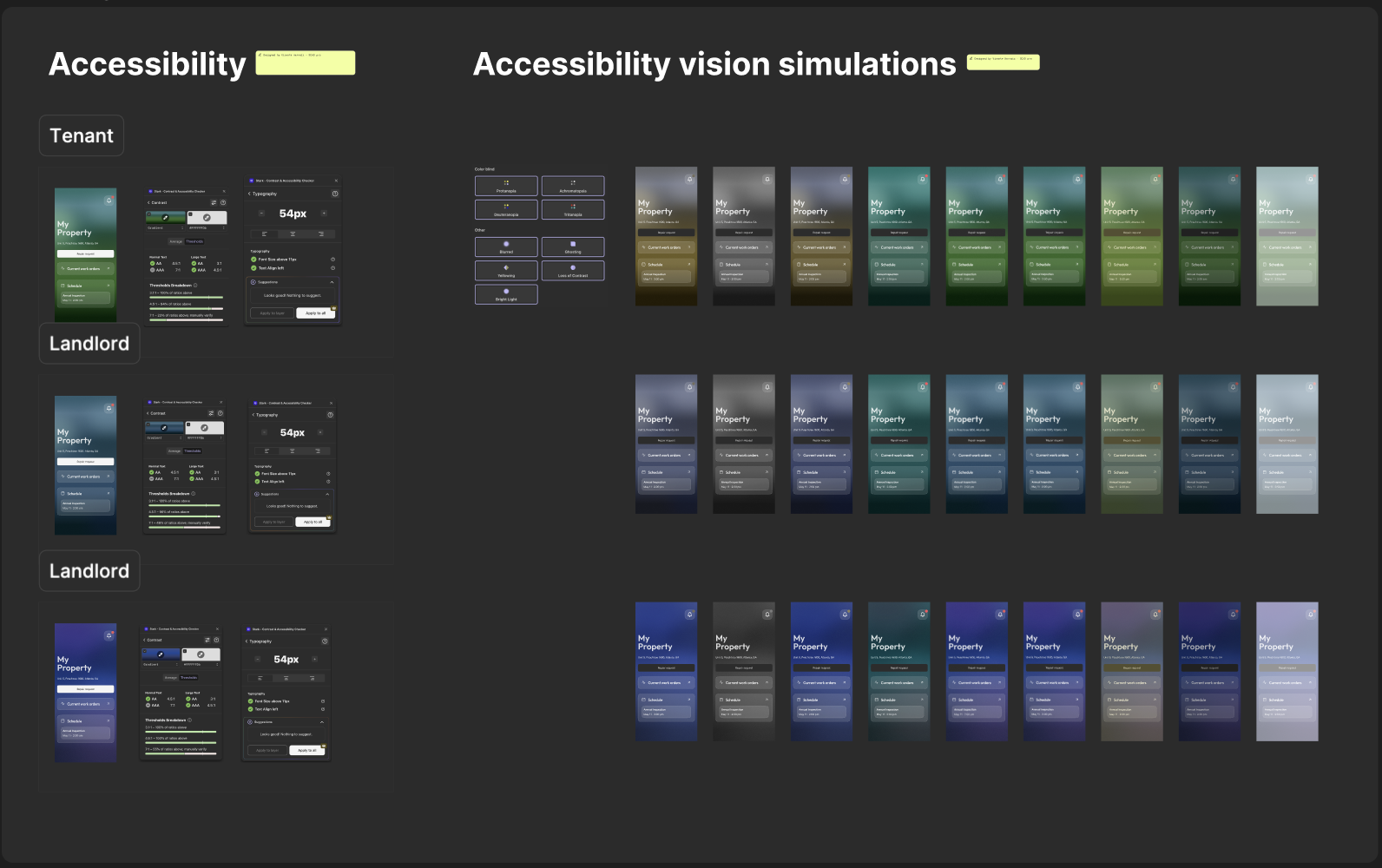
Any website or digital product built for a U.S. government function must meet WCAG AAA accessibility, the strictest federal tier. On the design side, we audited every color combination, verified contrast across all three role palettes, and simulated low-vision and color-blindness conditions (protanopia, deuteranopia, tritanopia) against the screens. Every screen was designed to AAA; the code implementation was the developers' work.
Section 07, Wireframes & Information Architecture
Structuring Three Experiences in One App
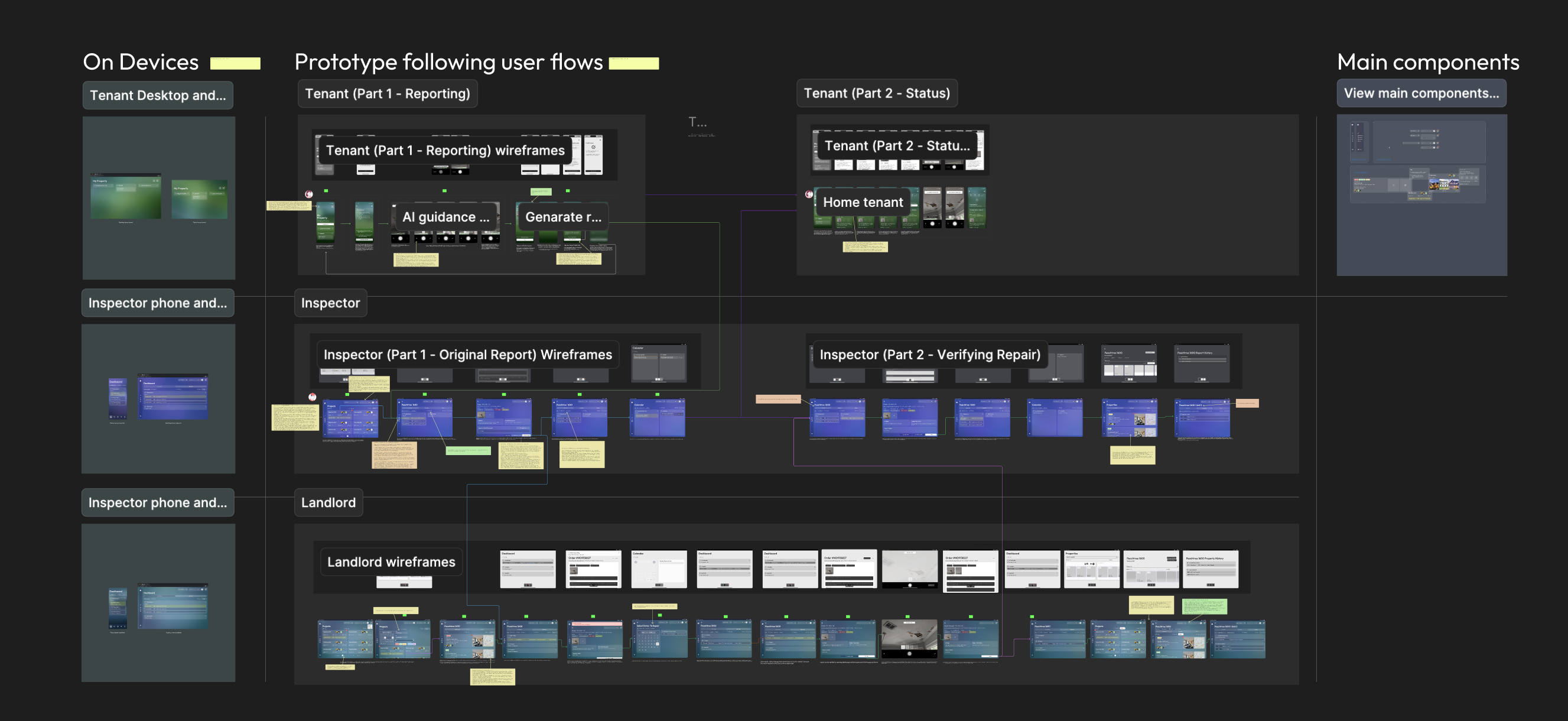
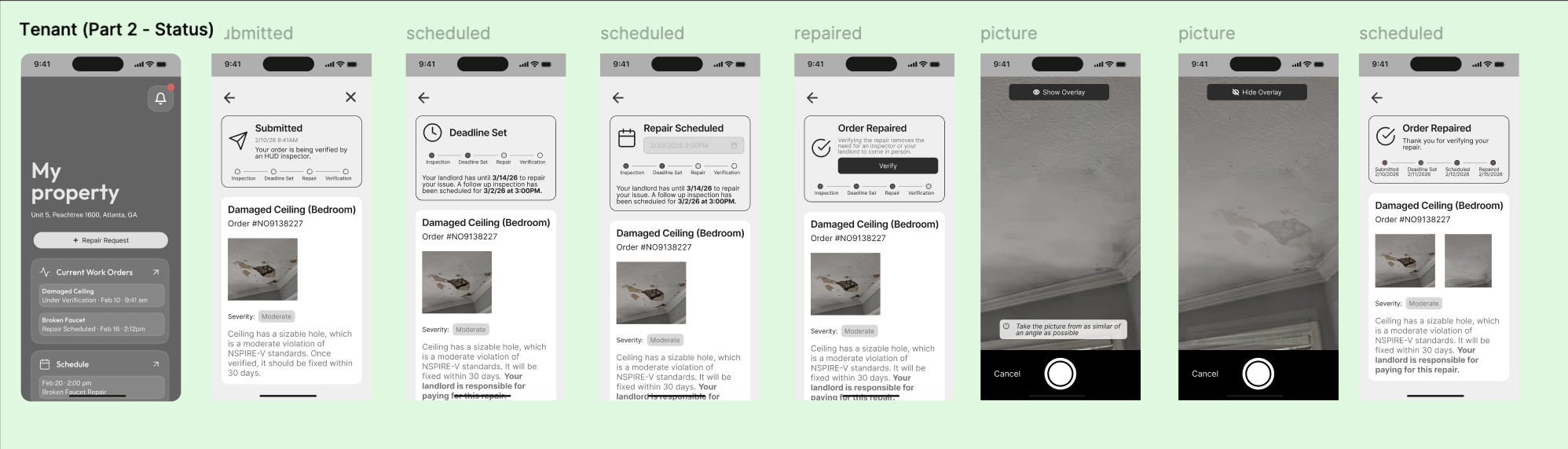
The app is organized into five modules: Inspection, Remediation, Role-Based Dashboards, AI Assistant Layer, and Analytics. The team designed mid-fidelity wireframes for all three user flows before committing to visual design, validating structure with Google Design experts and Deloitte stakeholders before investing in pixels.
Section 08, Usability Testing & Iteration
Testing Assumptions, Fixing What Broke
We tested mid-to-high fidelity prototypes with a mix of landlords, tenants, and limited inspector access. Three critical issues surfaced that reshaped the product.
Issue 01, AI Documentation Confusion
Users couldn't tell if the AI had what it needed
Finding: Users expected real-time feedback during photo capture. The AI felt invisible.
"I don't know if the AI is happy with the photo."
Fix: Overlaid AI guidance directly on the camera view, angle prompts, lighting checks, real-time requirement checklists.
Issue 02, Photo Visibility Gap
Captured photos disappeared with no confirmation
Finding: Captured photos disappeared into the system with no preview or confirmation.
"Where did my photo go?"
Fix: Added live preview + explicit confirmation checkpoint before submission.
Issue 03, Missing Confidence Signals
No clear signal that documentation was sufficient
Finding: Users couldn't tell if AI was assisting or if their documentation was sufficient.
Fix: Added checkmarks for approved captures, clear warnings for insufficient ones, and plain-language explanations for rejections.
Section 09, Final Design
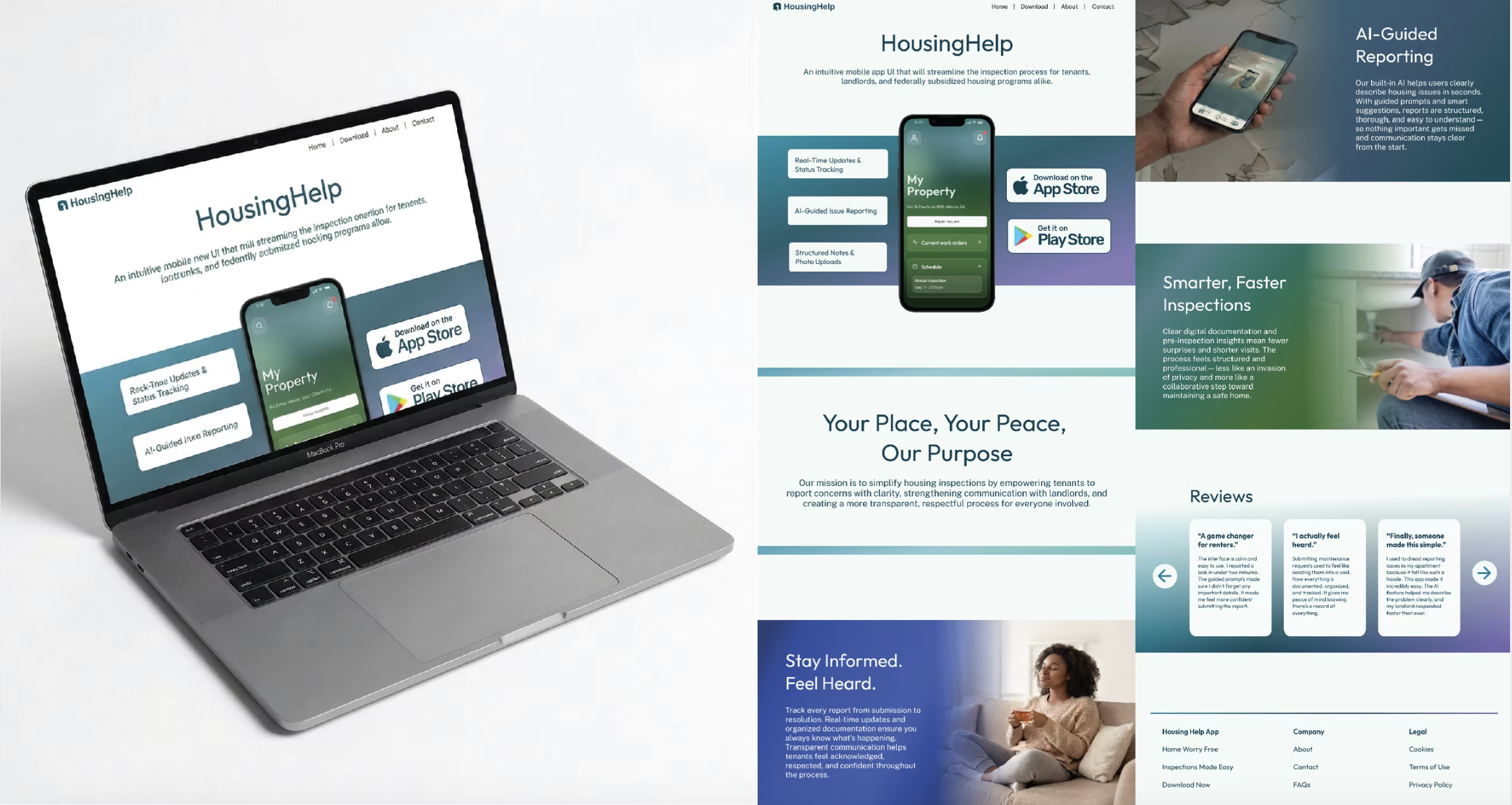
The Product
Three role-based experiences unified under one design system. Glass morphism surfaces, AI-guided workflows, and a component architecture built for national deployment.
Section 10, Brand & Marketing System
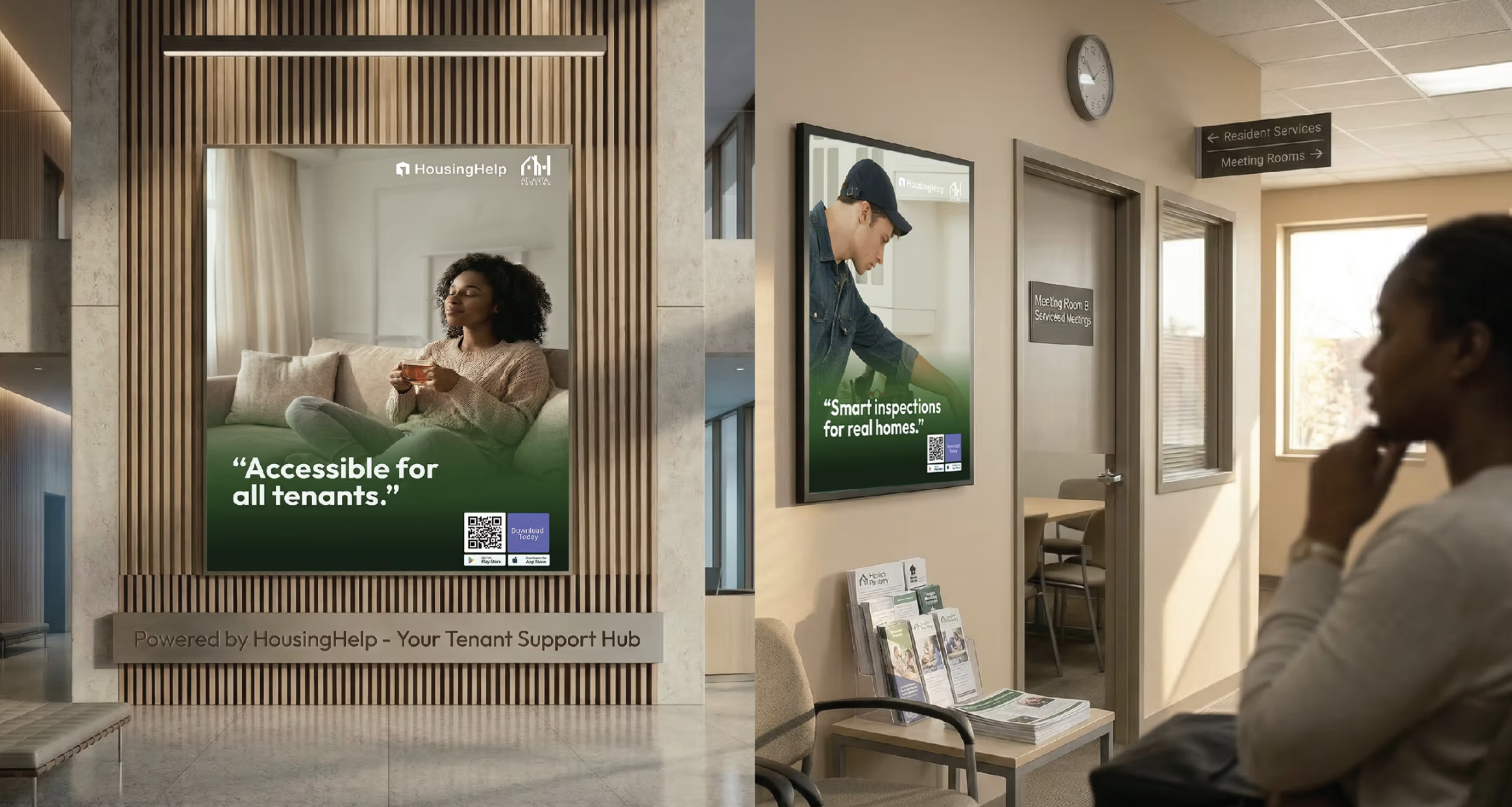
Beyond the Screen
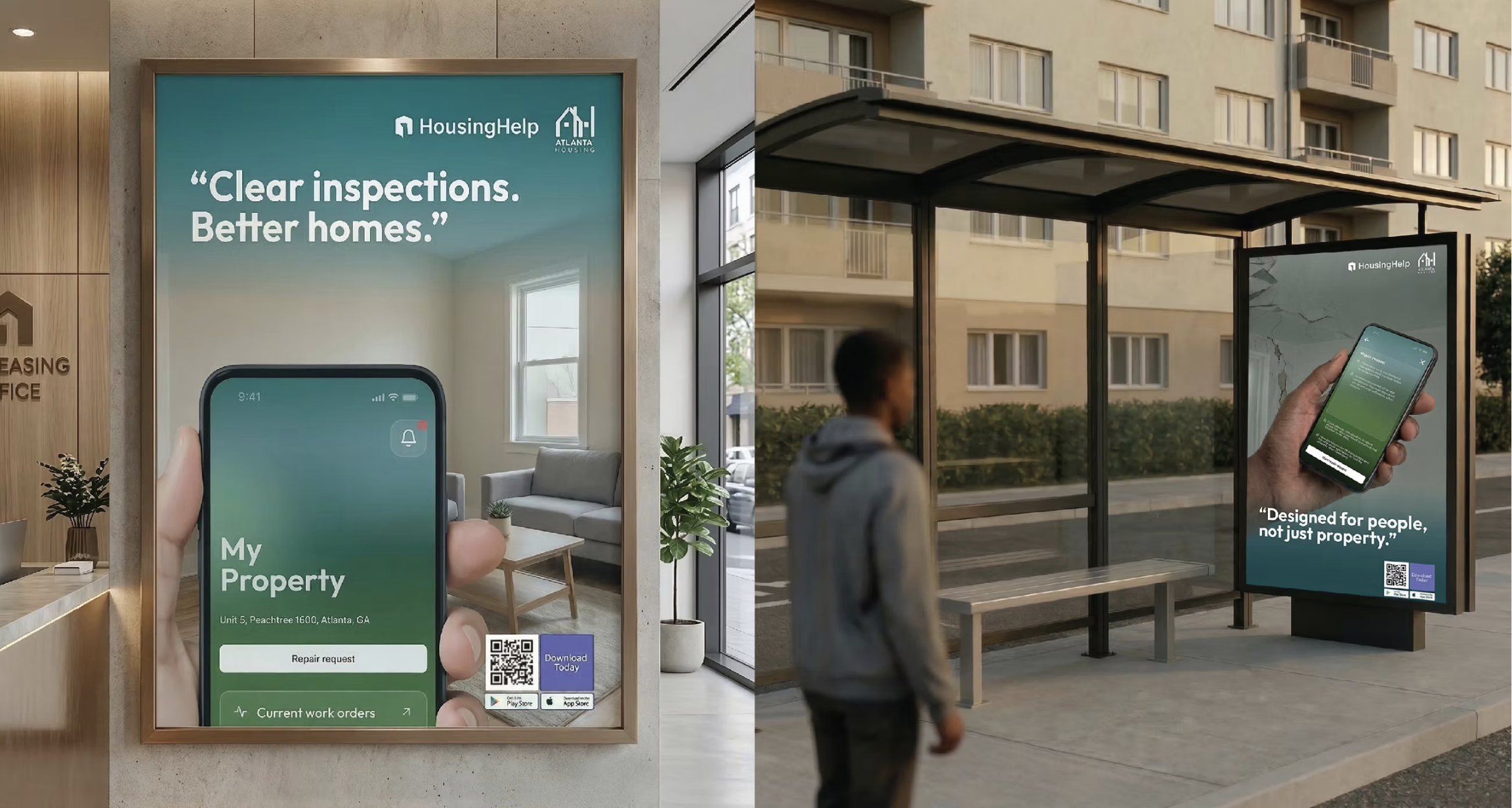
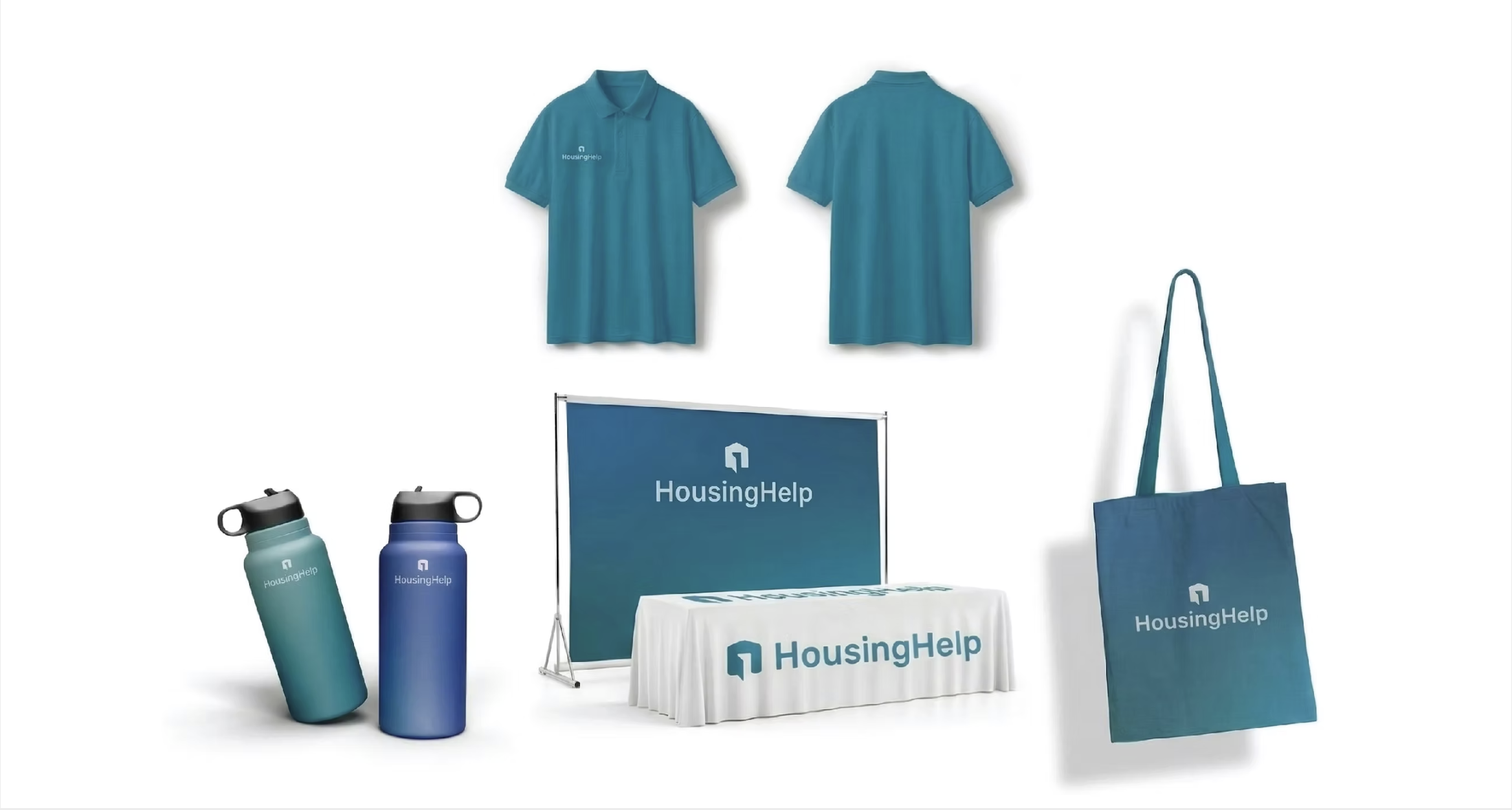
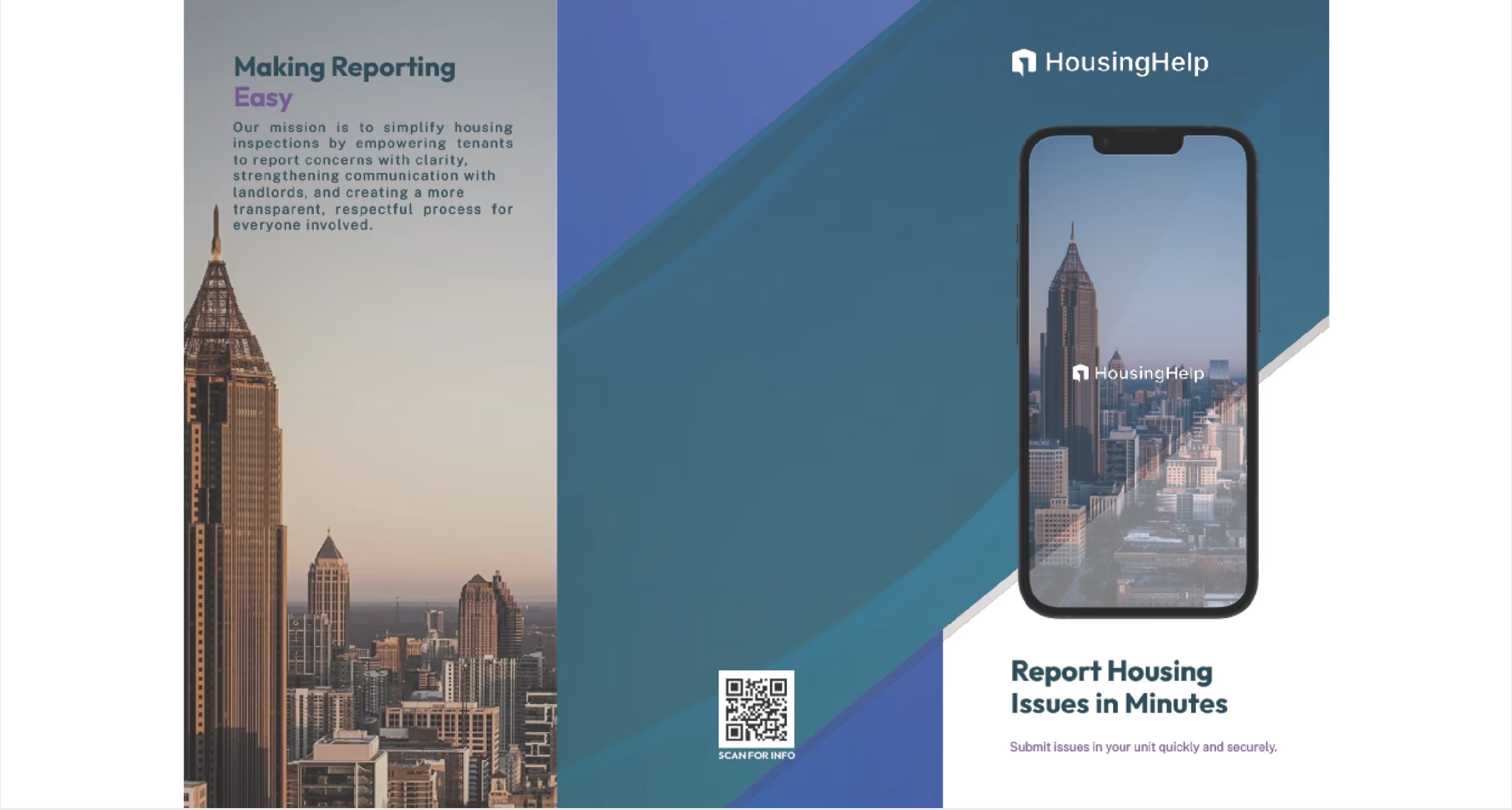
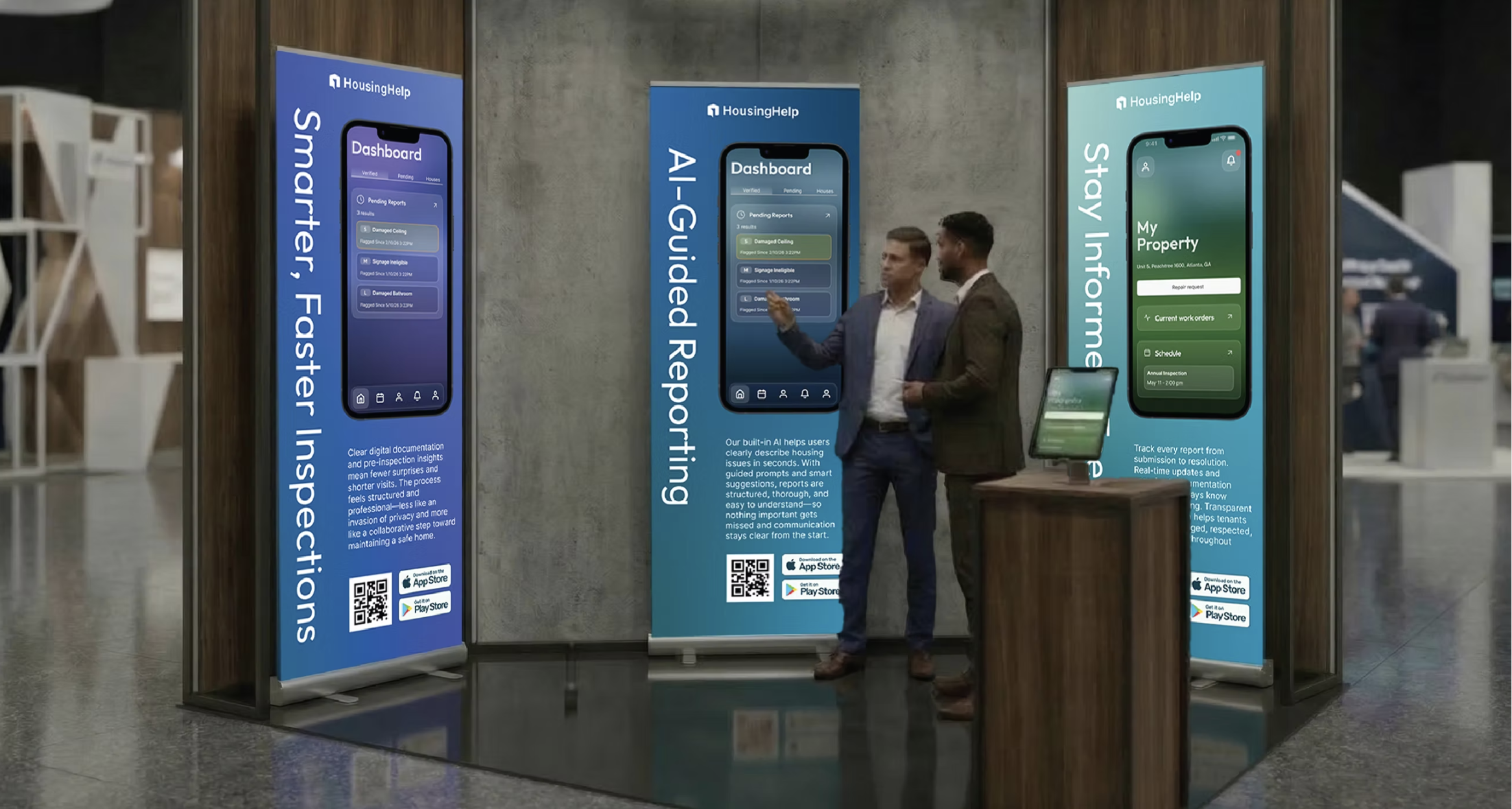
The role-based color strategy extended beyond the app into a complete brand and marketing system, convention materials, street advertising, office collateral, and promotional products. This demonstrated how a design system decision can scale from UI components to physical brand presence.
Section 11, Leadership & Stakeholder Management
Navigating Complexity
Deloitte's organizational structure meant multiple decision-making bodies with competing priorities. Scope creep from housing authorities' wish lists constantly pulled against the need for a focused MVP. I learned to navigate this by presenting design decisions as strategic trade-offs, not aesthetic preferences, which built trust and accelerated consensus.
The component structure is exceptionally well-organized. The information flow between components is intuitive for developers. This level of structure is uncommon in designer-developer handoffs.
, Deloitte Development Lead, during prototype review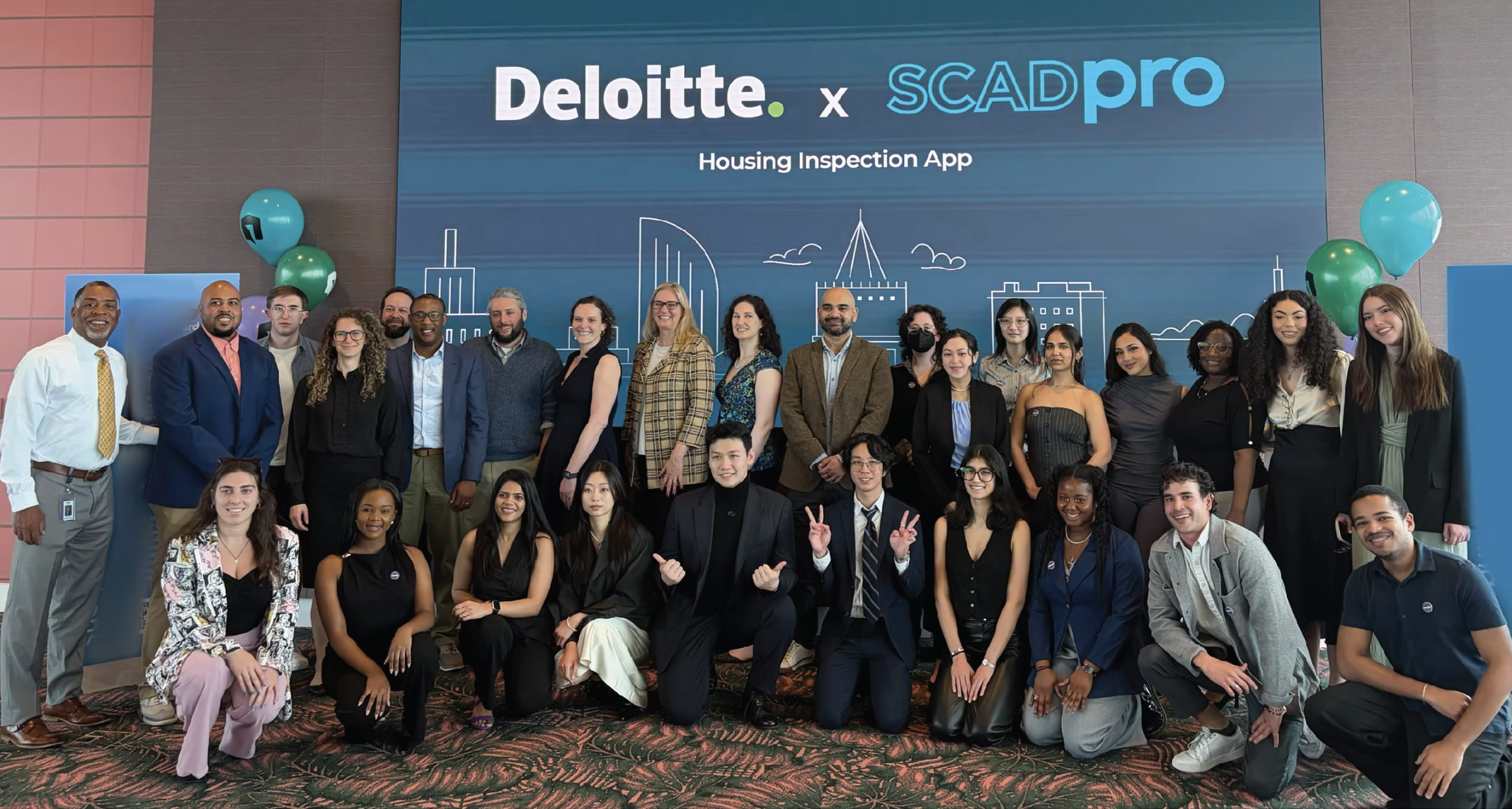
Section 12, Key Learnings
What This Project Taught Me
01
Client Management at Enterprise Scale
Working with Deloitte meant navigating multiple stakeholders with competing visions. I learned that design decisions must be framed as business trade-offs to build alignment across complex organizations.
02
Cross-Team Coordination
Leading design systems work while syncing with research, branding, marketing, and operations teams taught me how to maintain system coherence when dozens of people are making parallel decisions.
03
Scalable Design Systems with High Visual Complexity
Building a modular system that supports three color profiles, glass morphism aesthetics, and jurisdiction-level customization, without breaking, was the hardest technical challenge. The key was radical modularity from day one.
04
Product Iteration Under Constraints
Limited inspector access forced creative validation strategies. I learned to maximize signal from the data available rather than waiting for ideal research conditions.
05
Usability Testing with Stakeholders and Experts
Combining expert review (Google design leads) with real user testing created a powerful feedback loop. Expert reviews caught structural issues; user testing caught experiential ones.
06
Final Client Interaction & Presentation
Delivering interactive prototypes to Deloitte executives and housing authority officials taught me how to present design work as business value, not design artifacts.
Section 13, Project Deliverables
View the Work
The complete process book and final presentation deck are available below.
Section 14, Outcomes & Impact
What Changed
Completed January – April 2026 · 15 weeks
Housing Help shipped as a validated design system and interaction model within a 15-week internship, not a product measured against live tenant or inspector traffic. Where I have a real before/after number, it's labeled measured below. Where the outcome is expert or stakeholder validation rather than a metric, it's labeled qualitative, so the distinction stays honest.
10 → 7 steps
30% fewer steps in the tenant reporting flow, and the branching photo-vs-description decision was collapsed into a single linear path.
AAA × 3 profiles
Designed to WCAG AAA contrast across all three role-based color themes, plus protanopia, deuteranopia, and tritanopia simulation on the screens.
3 Google design leads
Structure and wireframes reviewed and validated by Russell Matsuo, Roque Silva, and Mike Buzzard before we invested in visual design.
1 dev-lead endorsement
"The component structure is exceptionally well-organized... this level of structure is uncommon in designer-developer handoffs," Deloitte Development Lead.
Tenant Reporting Flow — What Testing Changed
Tenants made three form selections before they could act, then hit a fork that asked them to classify their own problem.
The photo became the input: the AI now reads from the image what the form used to ask, and the fork disappeared.
The AI-guidance model went through the same measured iteration. v1 shipped as "user controls, AI validates after the fact." Testing surfaced the confusion directly, "I don't know if the AI is happy with the photo," and v2 shipped as "AI guides in real-time, user confirms." That's a validated design iteration, not a hypothesis, it changed shape because of what a real test participant said.